Choose a Workflow
Bundled videos & tasks → Judge Model → progress curves → metrics & reportNotebook
Run the complete workflow cell by cell, inspect the cases, and open the generated report.
Open the NotebookCommand Line
Follow the steps below to run the same example with the standard shell entry point.
Run from the terminalRun the Bundled Demo
1. Clone the repository
git clone https://github.com/YuyangLiu2003/PRM-as-a-Judge.git
cd PRM-as-a-Judge
2. Create and activate the environment
conda create -n prm-judge python=3.10 -y
conda activate prm-judge
3. Install the demo dependencies
python -m pip install --upgrade pip
python -m pip install -e ".[dopamine]" \
  -c constraints/dopamine-cu128-py310.txt
python -m pip check
4. Download the checkpoint
The bundled demo uses Robo-Dopamine-GRM-2.0-8B-Preview as its default PRM checkpoint.
PRM_PATH=$(hf download tanhuajie2001/Robo-Dopamine-GRM-2.0-8B-Preview)5. Evaluate all three cases
MANIFEST=eval/examples/manifest_demo_cases.jsonl \
PRM_PATH="$PRM_PATH" \
VISUALIZE=1 \
bash eval/run_eval.sh
The final terminal line prints the generated run directory.
6. Open the interactive report
python eval/run_judge.py serve \
  --run-root eval/results/run_YYMMDD_HHMMSS
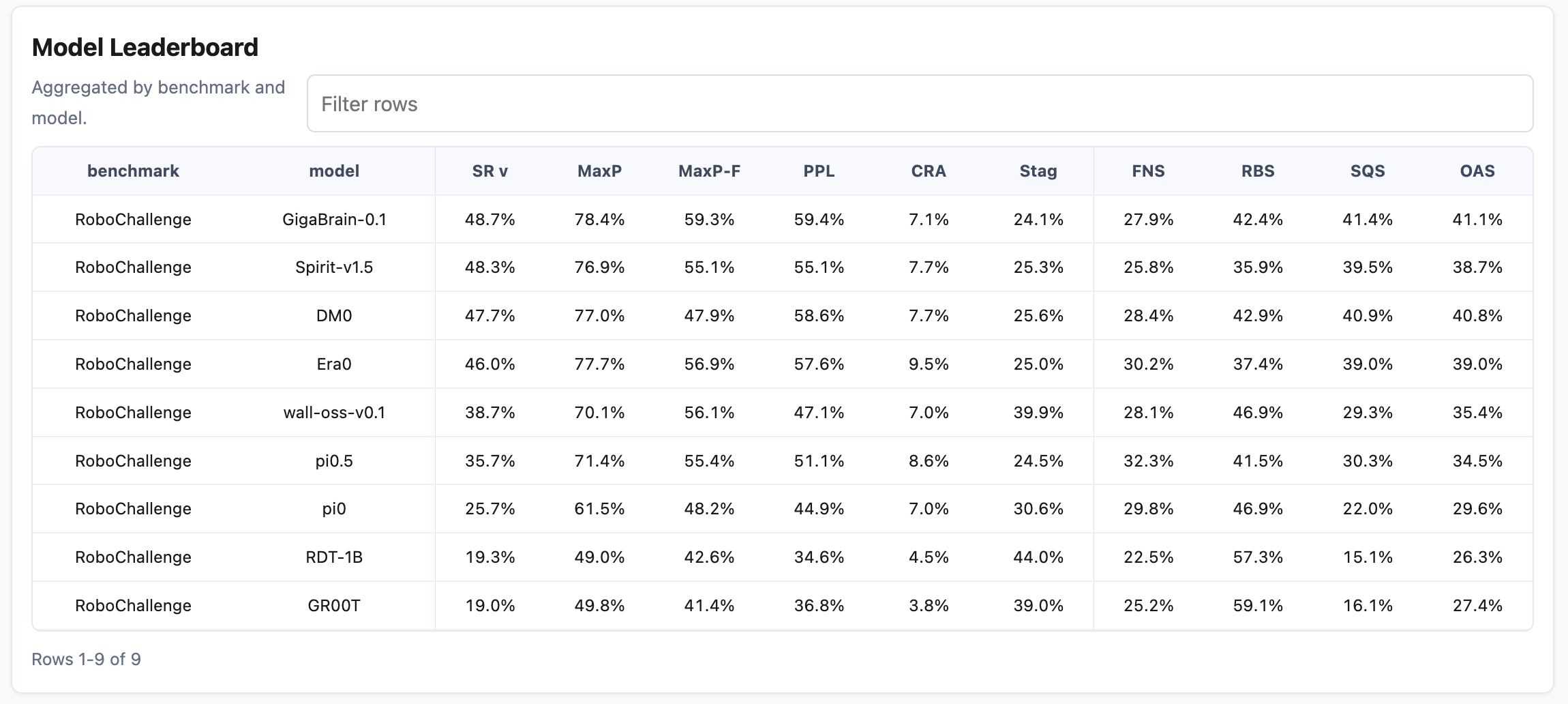
After the run completes, open the report URL printed by the command. The final performance report includes the Model Leaderboard shown below, which summarizes the core metrics for every evaluated model. You can also use the interactive report to filter and inspect every case, including its rollout video, progress curve, and per-case metrics.
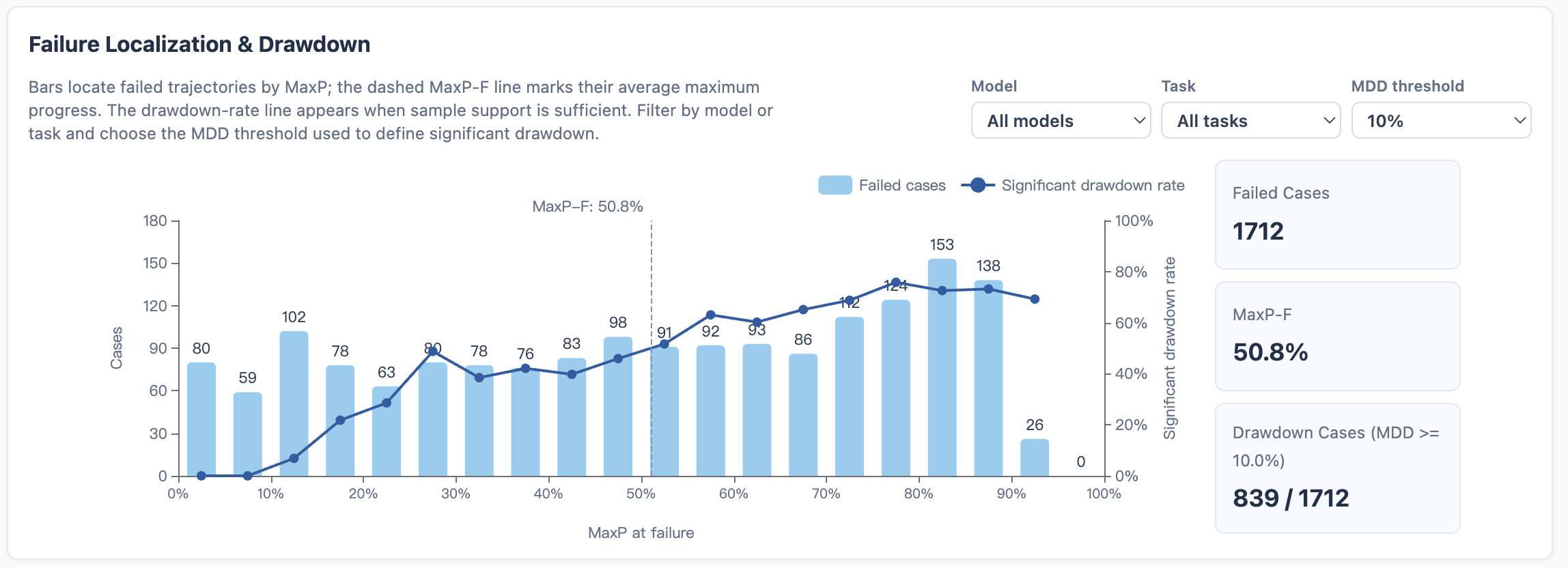
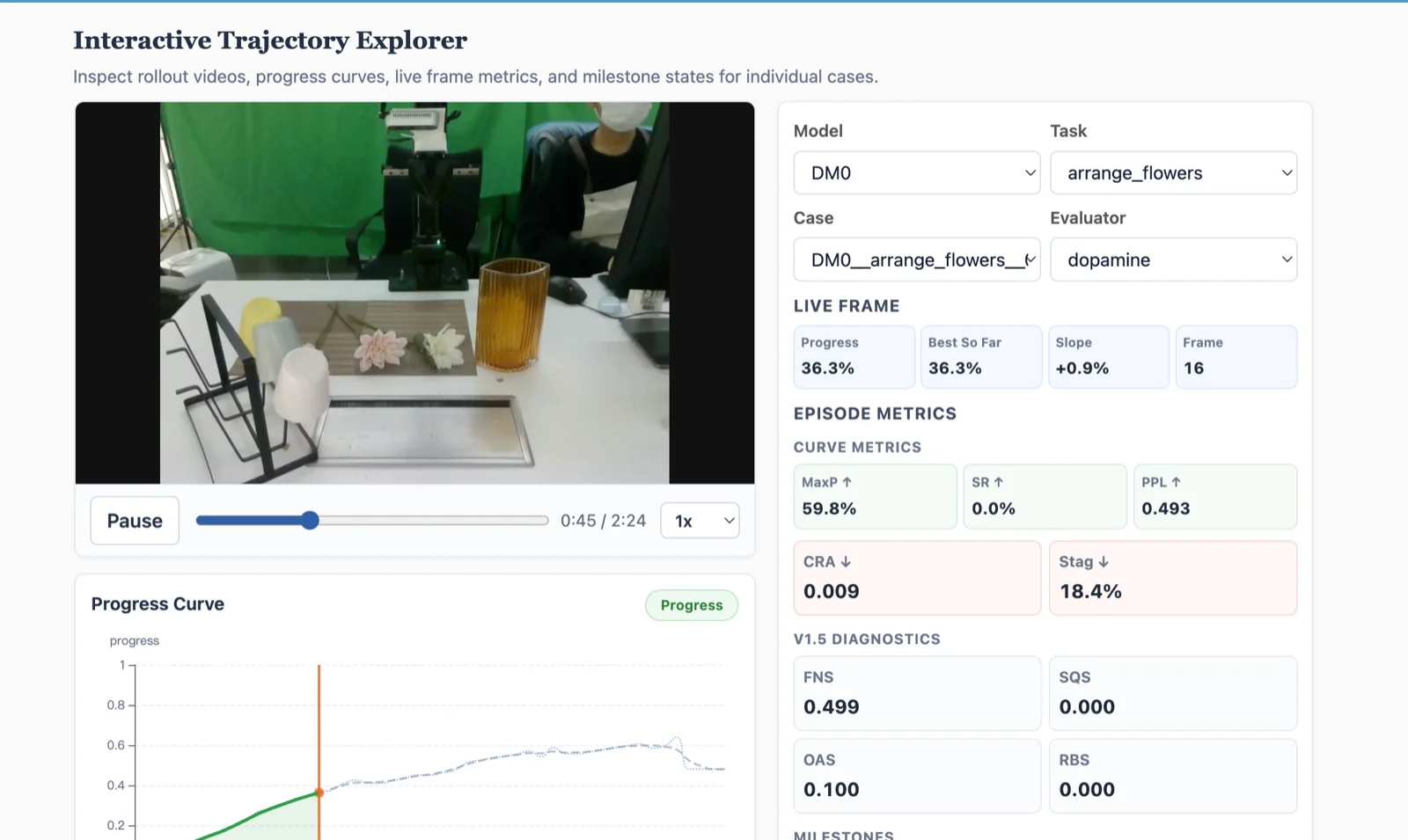
The report also supports failure progress and recovery analysis, together with case-level inspection in the interactive trajectory explorer. See the Advanced Guide for the complete visualization reference.
7. Evaluate your own rollout
Create a JSONL manifest containing a case ID, task description, and video path:
{"case_id":"case_001","task":"put the can into the basket","video":"videos/case_001.mp4"} MANIFEST=/path/to/cases.jsonl \
PRM_PATH="$PRM_PATH" \
VISUALIZE=1 \
bash eval/run_eval.shWeChat Community
Join the group to discuss setup, evaluation, and rollout analysis with the community.

Scan the QR code to join the WeChat community.